
Manufacturing & production
Explore the manufacturing module against a representative production process from your business.
Manufacturing decisions depend on more than production alone. Bring material availability, purchasing, stock and financial reporting into the same ERP conversation with IraEdge ERP.
Register with Q-Soft for trial access. Complete the verification steps shown in your account.

Start with the way your team actually works: the materials you buy, the production steps you record and the finished goods you sell. Q-Soft can demonstrate the relevant manufacturing and inventory workflows and agree any customization before implementation.
Explore the manufacturing module against a representative production process from your business.
Review raw-material availability and stock records with the people responsible for purchasing and production.
Connect material purchasing and supplier workflows to your operational requirements.
Follow the inventory records that support finished-goods availability and sales.
Discuss batch, expiry and movement-history requirements where your products need them.
Review how operational records connect to financial reports and the management information your team uses.
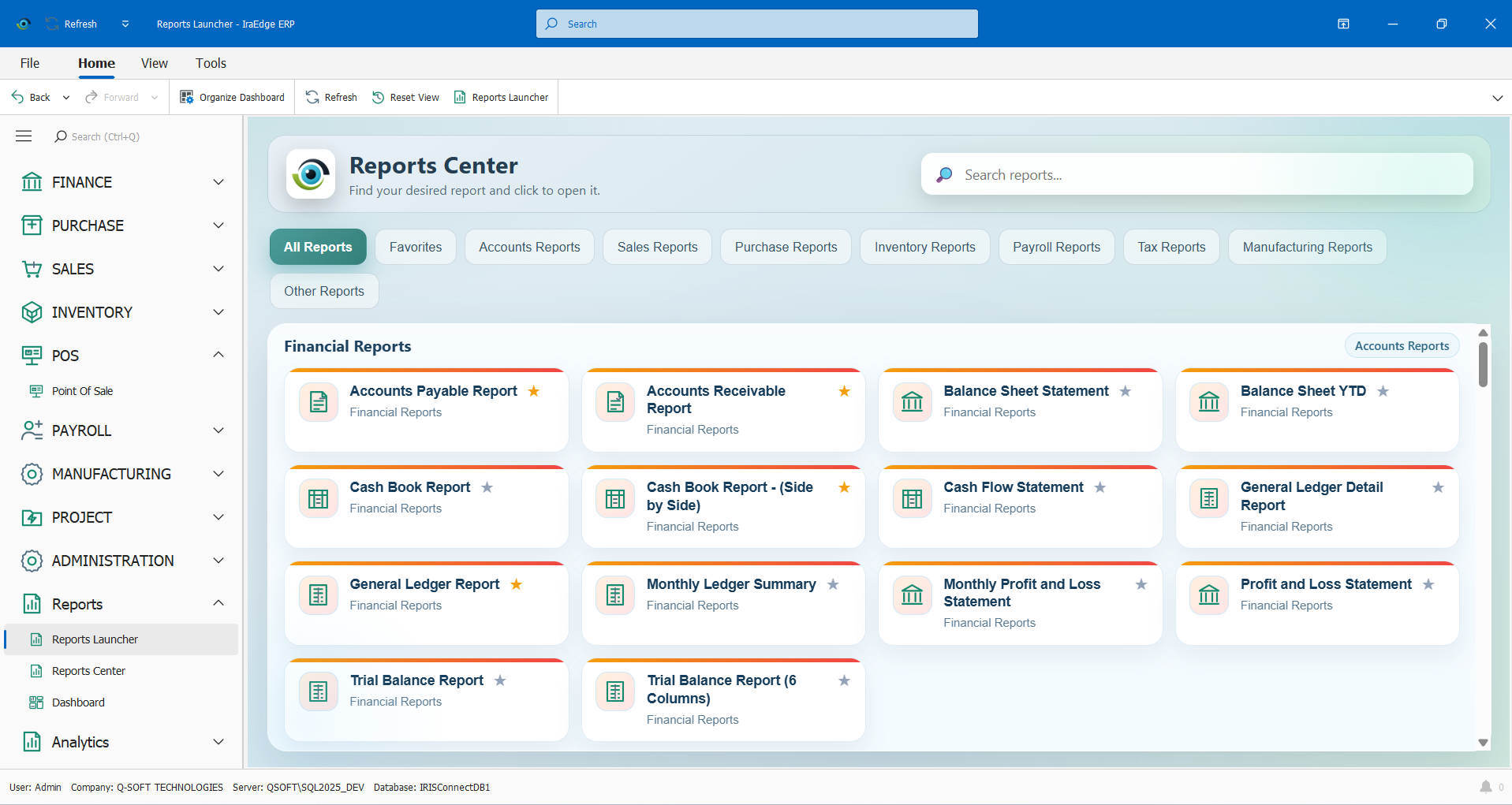
Explore the actual Reports Center and its module categories. Agree the reports, filters and business measures your team needs during scoping, including any specialized production or costing requirements.
Explore IraEdge ERP ↗Available functions depend on the selected product, configuration and agreed implementation. We will confirm the scope with your team.
Q-Soft offers customization services. Share your production steps, documents and exceptions so the team can assess the fit and define any additional development in the proposal.
No. These are actual ERP application screens with sample data. The overview demonstrates the interface; your manufacturing workflows and dashboard requirements should be reviewed in a tailored demonstration.
Bring a representative finished product, material list, purchasing example and the production and costing reports you currently use. This helps establish the right implementation scope.
Start with trial registration or arrange a demonstration focused on your business.
Discuss your requirements on WhatsApp ↗